Carl uses 1app.energy to make his Solis, Fogstar and Zappi setup work as one home.
A 6 kW Solis hybrid inverter. Two Fogstar batteries. A MyEnergi Zappi Glo for the car. Octopus Go in the background. Carl already had the right kit; 1app.energy gives him one place to understand it and lets Autopilot manage tariff-aware behaviour where supported.
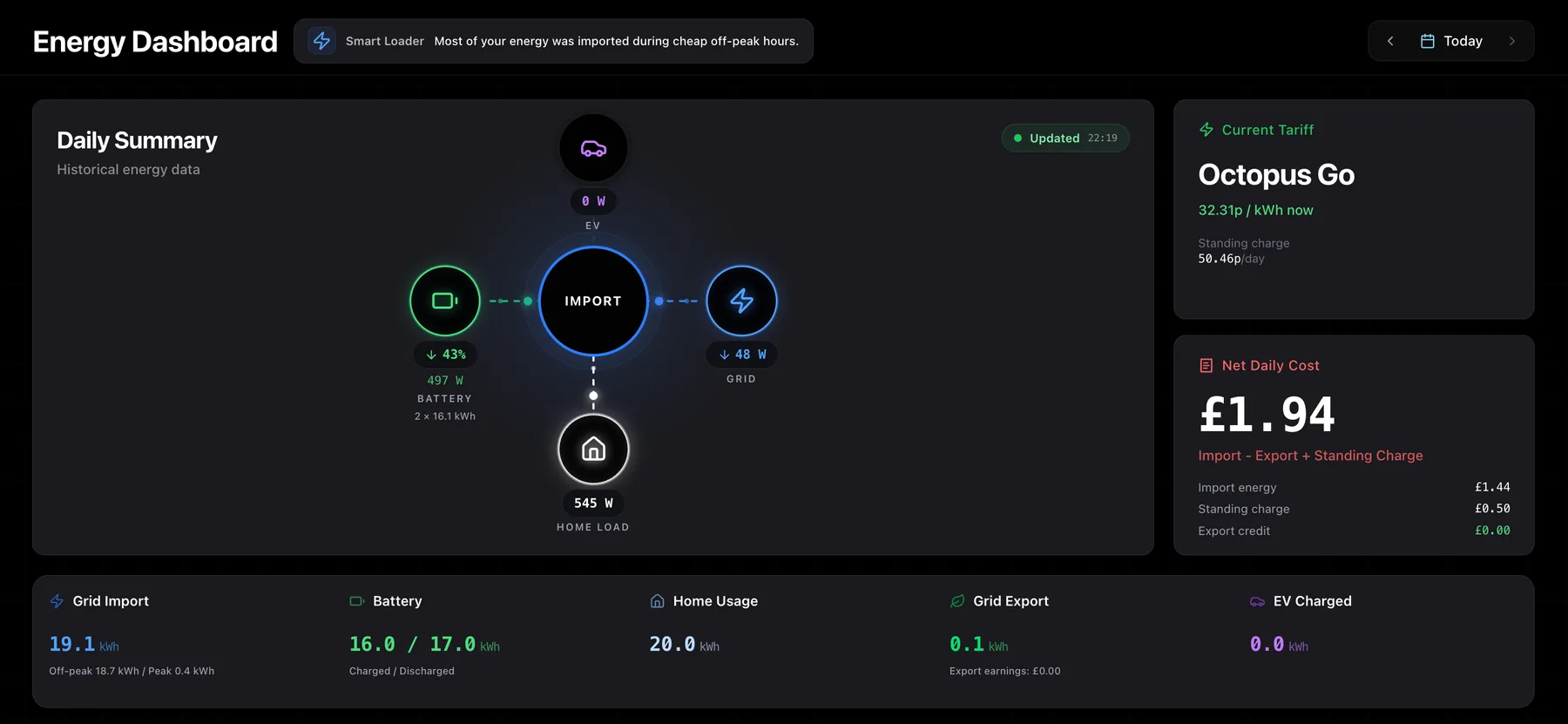
Good hardware. One operating view.
The review below was sent to us by email, unedited and shared with permission.
“I am using 1app.energy to control my Fogstar batteries, a Solis inverter and a MyEnergi Zappi on the Octopus Go tariff. I'm using the Autopilot smart control which optimises battery charging, home coverage and grid export all based on my tariff and battery level. It would have been very hard to set up all of the separate parts to be anywhere near as efficient as this is.”
Carl Harvey
Solis hybrid inverter, Fogstar batteries and Zappi Glo · UK home
Carl already had strong hardware. The hard part was understanding the whole system without juggling apps.
This is a common problem for people with a Solis inverter: the inverter, batteries, EV charger and tariff each have their own role, but the homeowner still needs to understand the whole system. 1app.energy brings supported Solis inverter, battery, EV and tariff context into one operating view, so the setup is easier to run without becoming another manual routine.
Is the battery charging in the right window?
Is the EV affecting what the battery is doing?
Am I importing, exporting or using stored energy right now?
Is Autopilot using the tariff context I expected?
What's actually installed at Carl's house.
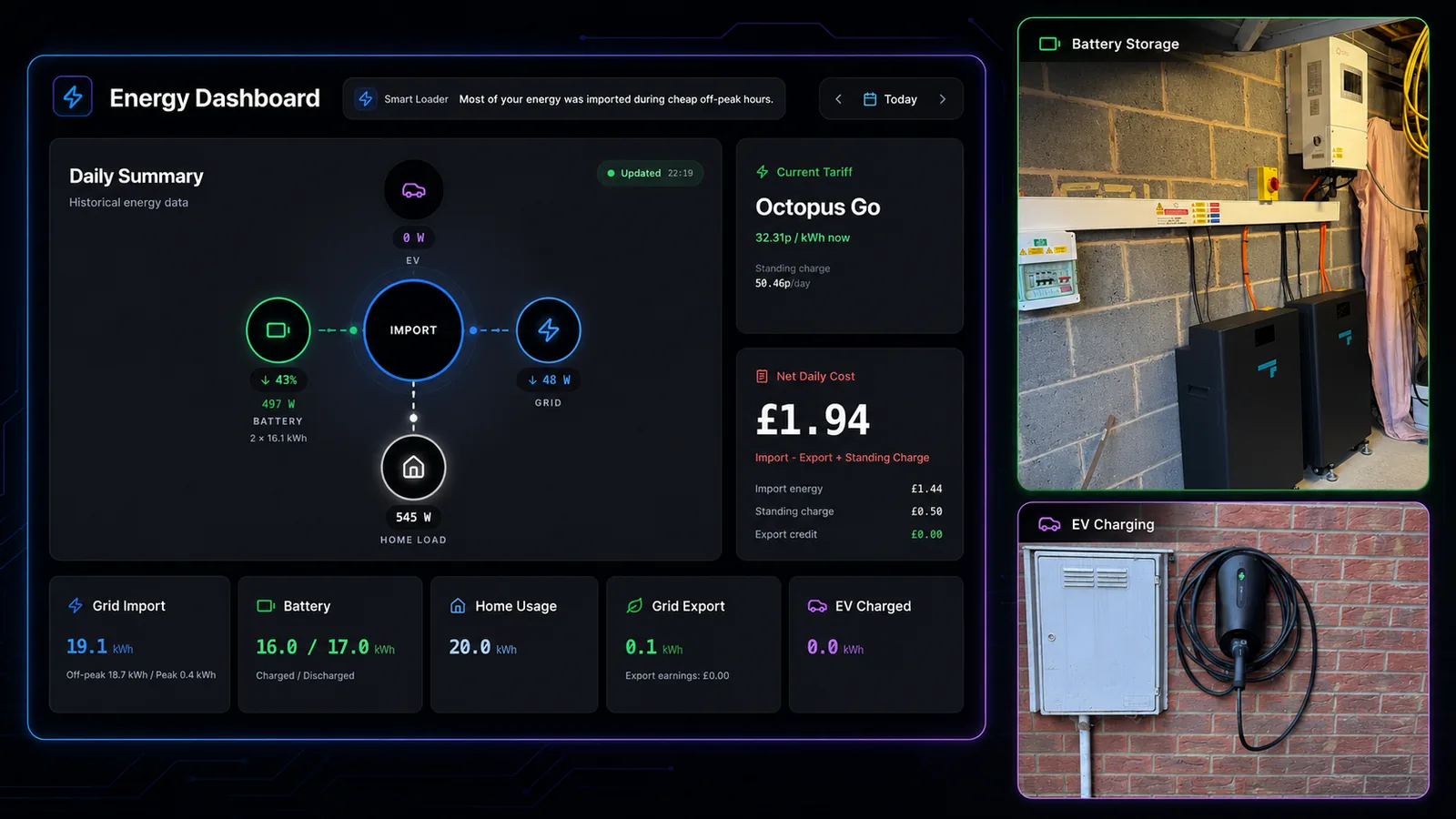
Each piece of hardware shows up in the same operating view. The point is not replacing the Solis, Fogstar, Zappi or tariff apps; it is giving Carl one customer-readable place to understand how they interact.
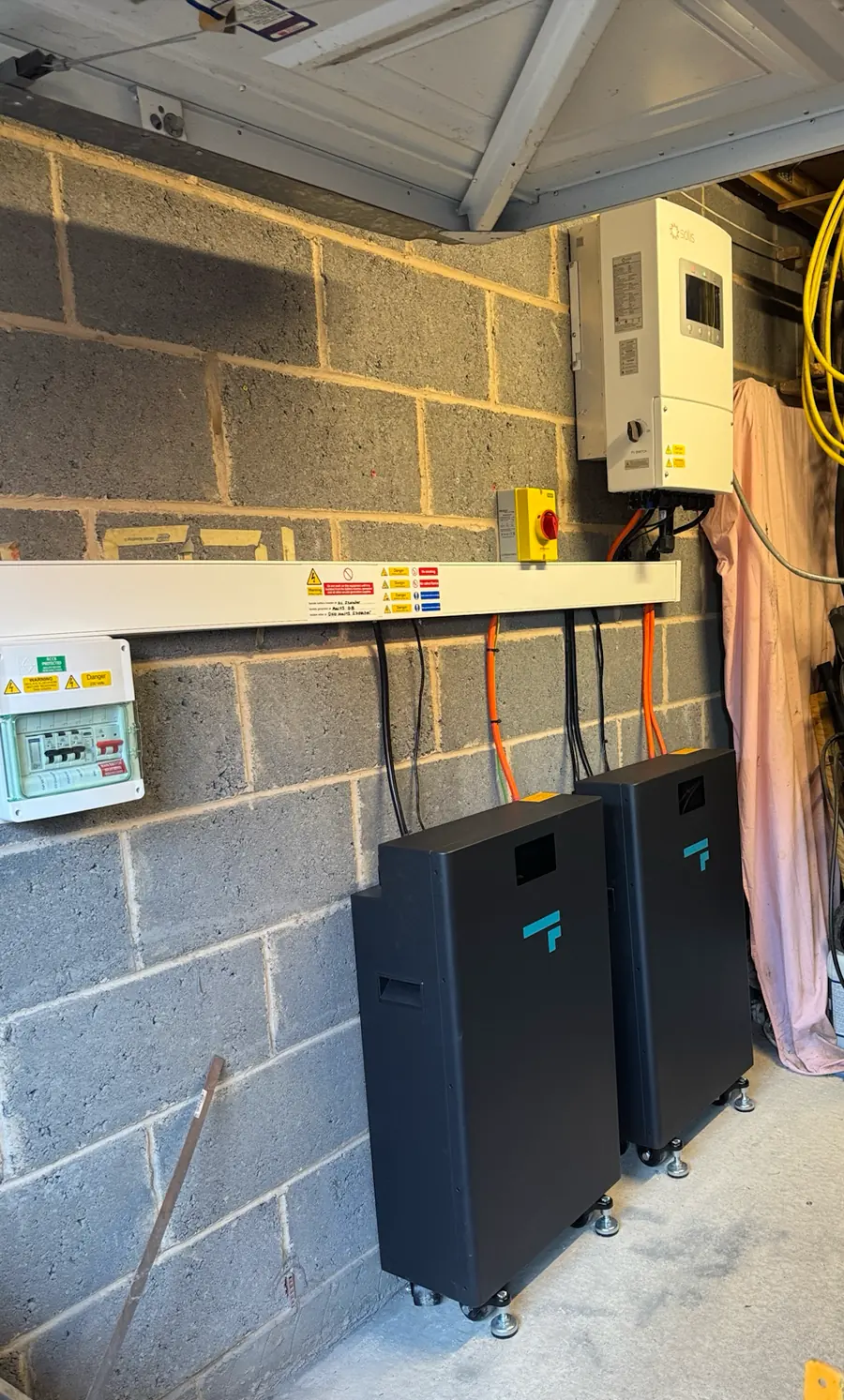
6 kW Solis hybrid inverter
The Solis hybrid inverter and battery system sit behind the home, EV charger and tariff. 1app.energy helps Carl see those parts as one setup.
Two Fogstar batteries
The dashboard shows battery charge and discharge alongside grid flow and home usage, so storage behaviour is easier to understand during the day.
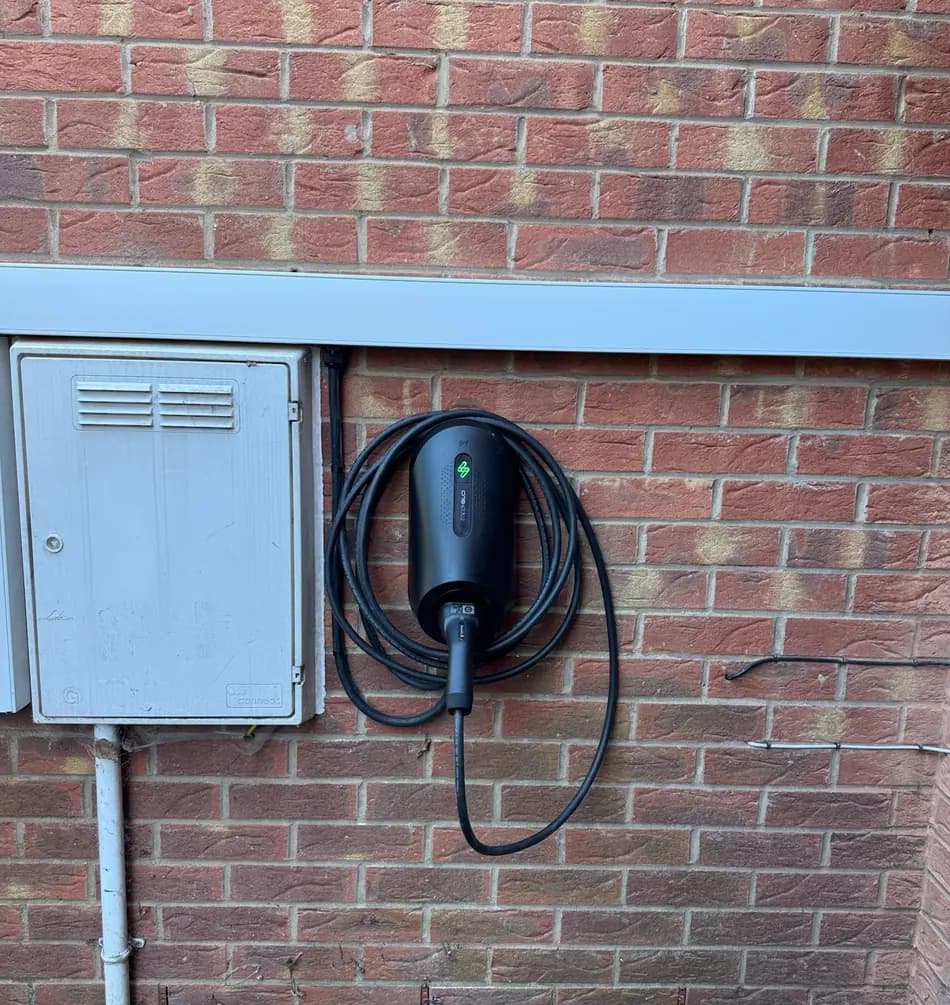
myenergi Zappi Glo
EV charging sits next to the battery, grid and tariff context in the same dashboard, instead of becoming a separate thing to check.
Octopus Go
Octopus Go tariff context is part of the same view, so battery and EV timing can be understood against the tariff.
If your setup looks like Carl's, the value is less coordination by hand.
Carl's setup is a recognisable UK home: a Solis hybrid inverter, battery storage, an EV charger and a smart tariff. 1app.energy helps close the software gap between those parts, so the homeowner is not left mentally joining separate apps together.
A normal setup with a Solis inverter, made clearer
Carl can see battery state, home load, grid import/export, EV charging, Octopus Go and daily cost together.
Autopilot handles the timing
Where enabled, Autopilot uses tariff and battery level rather than leaving Carl to coordinate the separate parts by hand.
A view he can actually use
The customer proof shows the daily picture in one place: current tariff, battery, grid, home usage, EV and cost.
Built around installed hardware
The Solis inverter, Fogstar batteries and Zappi Glo stay in place. 1app.energy adds the connected software layer around supported devices.
Honest note:automation depends on supported devices, verified tariff data and the settings the customer enables. Carl's story shows one real setup; exact behaviour depends on the hardware, tariff and signup compatibility check.
Clearer daily visibility across Solis, battery, EV charging and tariff timing.
- Home, battery, grid, EV, tariff and daily cost visible together
- Autopilot timing around tariff and battery level where enabled
- Less need to manually coordinate Solis, Zappi and Octopus Go
- Easier value from the Solis and Fogstar hardware already installed
Check whether 1app.energy can connect your inverter, battery, EV charger and tariff.
Tell us what you have installed and we will review the supported devices, tariff context and automation options for your home.